New Google+ and Google Hangouts
Rabu, 15 Mei 2013
0
komentar
Google+ has received a major update. There's a new multi-column desktop interface, a new messaging platform and Google+ Photos is a lot smarter.

The desktop Google+ looks different. You can see more content thanks to the new interface that shows up to 3 columns, depending on the window size. "Photos and videos can fill the entire width of the stream, making it easier to scan, and nicer to look at. The sharebox bounces, the menus slide, and the cards flip and fade."
Google+ can now automatically generate hashtags for your posts, so other people can find related content. "Hashtags appearing at the top of a post are related to the post's content. Clicking on a hashtag will let you explore related posts. Hashtags with gray coloring are those used by the author of the post while hashtags with blue coloring are added by Google based on the content of the post. Related hashtags help posts get discovered and build conversations around the content of that post."
If you don't like this feature, you can disable it from the settings.

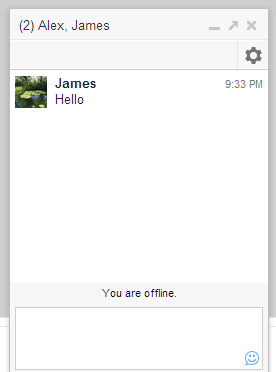
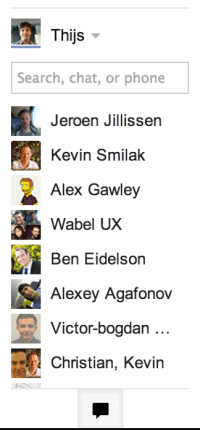
The unified chat service is not called Babel, the name is Google Hangouts. It replaces the Google Chat sidebar in Google+ and the Gmail Chat box and there are apps for Android, iOS and a Chrome extension. Google Hangouts combines Google+ Messenger, Google Talk/Chat and the old Hangouts feature, so you can use text chat, video chat, photo sharing and group conversations on the most popular platforms. You only see notifications once, no matter if you're using the desktop sites or the mobile apps. The built-in chat history lets you go back in time and read old conversations.

Google+ Photos is smarter. It can now find your best photos and use Auto Enhance to combine various effects that make your photos look better. "Auto Enhance makes instant adjustments to brightness, saturation and more. Auto Enhance is on by default so every photo you upload will look its best." There's also Auto Awesome, which creates new images from your photos: collages, motion images, HDR photos, panoramic images, improved group photos. Both Auto Enhance and Auto Awesome can be disabled in the settings.
The desktop Google+ looks different. You can see more content thanks to the new interface that shows up to 3 columns, depending on the window size. "Photos and videos can fill the entire width of the stream, making it easier to scan, and nicer to look at. The sharebox bounces, the menus slide, and the cards flip and fade."
Google+ can now automatically generate hashtags for your posts, so other people can find related content. "Hashtags appearing at the top of a post are related to the post's content. Clicking on a hashtag will let you explore related posts. Hashtags with gray coloring are those used by the author of the post while hashtags with blue coloring are added by Google based on the content of the post. Related hashtags help posts get discovered and build conversations around the content of that post."
If you don't like this feature, you can disable it from the settings.
The unified chat service is not called Babel, the name is Google Hangouts. It replaces the Google Chat sidebar in Google+ and the Gmail Chat box and there are apps for Android, iOS and a Chrome extension. Google Hangouts combines Google+ Messenger, Google Talk/Chat and the old Hangouts feature, so you can use text chat, video chat, photo sharing and group conversations on the most popular platforms. You only see notifications once, no matter if you're using the desktop sites or the mobile apps. The built-in chat history lets you go back in time and read old conversations.
Google+ Photos is smarter. It can now find your best photos and use Auto Enhance to combine various effects that make your photos look better. "Auto Enhance makes instant adjustments to brightness, saturation and more. Auto Enhance is on by default so every photo you upload will look its best." There's also Auto Awesome, which creates new images from your photos: collages, motion images, HDR photos, panoramic images, improved group photos. Both Auto Enhance and Auto Awesome can be disabled in the settings.
Baca Selengkapnya ....